
Can Tempomails Send Emails or Is It Receive-Only?
When using a Temporary Email Service, a user will wonder if they can receive messages only or also send emails from their temporary email account. Tempomails is created to receive emails, verification codes, and other messages without providing any personal data or account registration.
Can Tempomails Send Emails?
Tempomails allows users to have a temporary mailbox, in which incoming emails will be shown instantly. Currently, there is no information regarding the ability to send emails via Tempomails' web portal.
For this reason, users should treat Tempomails primarily as a receive-only email service for temporary inbox needs rather than as a replacement for a regular email account. This makes the platform suitable for situations where receiving a message is the main requirement.
What Can You Receive?
Tempomails is useful when you need an email address to receive messages for short-term activities. Incoming emails can appear in the temporary inbox as soon as they are sent, helping users complete tasks without waiting for repeated manual checks.
Common uses include:
- Receiving OTP and verification codes
- Getting account confirmation emails
- Receiving temporary registration messages
- Accessing links sent by websites
- Keeping unwanted messages away from your personal inbox
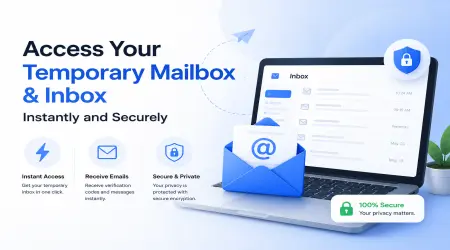
The service also provides real-time inbox updates, so users can monitor new messages as they arrive. This is particularly useful when a website sends a verification code immediately after registration or a temporary action. You can also access your temporary mailbox and inbox instantly whenever a new message arrives.
Why Use a Receive-Only Inbox?
A receive-focused temporary inbox is useful when the main purpose is to get a message rather than maintain ongoing email communication. Tempomails lets users generate a disposable address without signing up or providing personal information.
It will be able to save a personal email from receiving unnecessary newsletters, promos, and spam about verification. Rather than providing a personal email address to every website, one can use a temporary inbox for those short actions. This entire service, including inbox access, remains completely free to use with no hidden charges.
When Is Tempomails Useful?
A temporary email service is suitable for use when you are required to use email in online registrations, email verifications, e-commerce transactions, app trials, among other uses. Tempomails can provide a temporary address and display incoming messages in the inbox.
However, users should consider the requirements of each website before using a temporary address. Some services may require a permanent email account or may not accept disposable addresses for registration.
Can It Replace Regular Email?
No. It is worth noting that Temporary email addresses are designed to last temporarily and cannot be considered your permanent email address. If you wish to send emails or have a long conversation, then you should consider a normal email service instead. Since messages are not stored long-term, users who need older emails later should check whether it is possible to back up or export a temporary inbox before it clears.
For quick registrations, verification messages, and other short-term inbox needs, Tempomails provides a simple receive-only email option without requiring an account.
Conclusion
Tempomails is designed primarily for receiving incoming messages through a temporary inbox rather than sending emails. The platform does not currently document an outbound email-sending feature, making it a practical receive-only email solution for verification codes, registrations, and other short-term needs.
For users looking for a Temporary Email Service for receiving messages while protecting their personal inbox, Tempomails provides a simple and convenient option. For quick access on the go, users can also download the Tempomails app from the Google Play Store.